Work alone, together.
A cosy coffee shop in your browser for people building things on their own.
Walk inFree · No camera, no mic · Nothing to install
Three steps to a table
About a minute, and you're working.
-
Step 1
Pick a character
Choose a name and a look: head, face, hair, skin, jacket.
-
Step 2
Say what you're building
A project name, and a link if you have one. Its icon shows over your head.
-
Step 3
Sit down and work
Sign in with Google, walk to a free chair and sit down. Everyone else is working too.
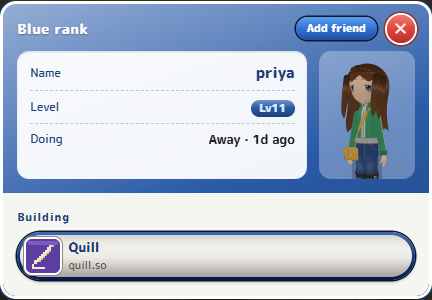
See what everyone's building
Over every head: what they're doing right now. Tap or click anyone for their card, with what they're making and a link to it.
- Coding, writing, marketing, or anything you type
- Every project you're building, each with its own link
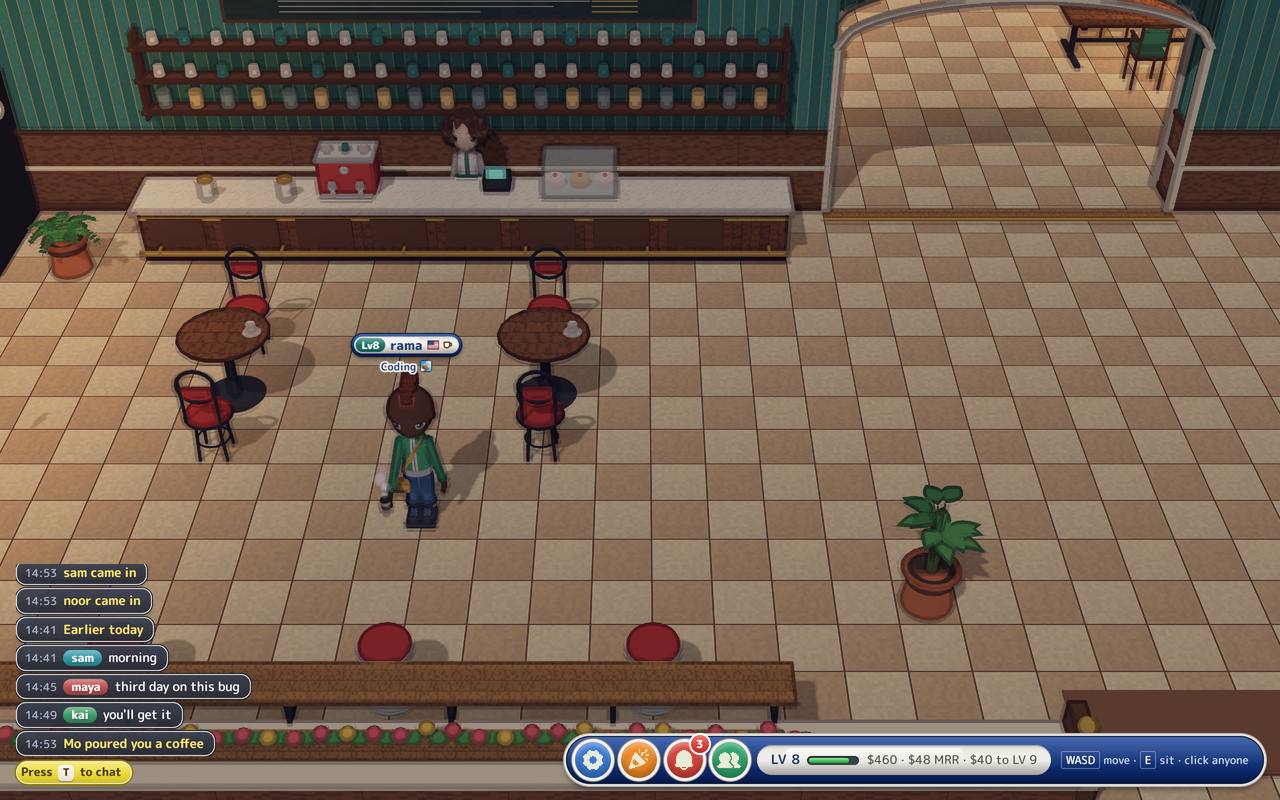
Ship something, and the room hears about it
Tell the café what you shipped and everybody sees it. Small wins count. That's what the room is for.
Come back tomorrow
The café remembers you.
Level up with what you earn
Your level and rank come from revenue: link Stripe or RevenueCat, and every dollar your projects earn counts. Earn $10 and you're Green, $100 and you're Teal, all the way to Gold at $1M. The room only ever sees your level, never the money.

- Stone$0
- Green$10
- Teal$100
- Blue$1k
- Violet$10k
- Amber$100k
- Gold$1M
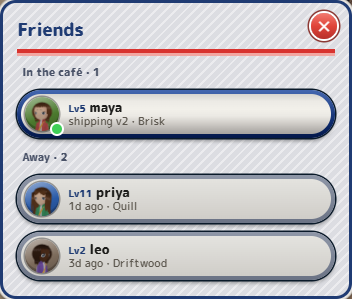
Friends
Add the people you sit near. See who's in now, or when they were last here and what they were on.
Watch your progress add up
- Your hours, day by day, in a log only you can see
- A level bar that fills as your projects earn
- What you shipped lately, right on your card
- Breaks are never counted against you
Made for
- Chat · press T or tap its button
- Lo-fi music · with record crackle
- Mo the barista · behind the counter all day
Questions
Is GroupBuild free?
Yes. Walk in, sit down and work for as long as you like.
Do I need an account?
You sign in with Google so the café remembers your name, your character and what you're building. There's no password and no form to fill in.
What is body doubling?
Working alongside someone else, even in silence, so it's easier to start and to keep going. GroupBuild is body doubling for people who build alone: other people are visibly there, getting on with their own thing.
Does it track my time or see my screen?
It never sees your screen. While you're sat at a table, the room shows how long you've been at it. Your log of hours is visible only to you, and breaks are never counted.
Is there video or voice?
No camera and no microphone. There's a text chat in the corner, and it fades away when you're not using it.
Does it work on my phone?
Yes, upright or sideways. Tap the floor to walk there, and tap a glowing chair to sit down. On a computer you walk with WASD and sit with E.
What do the levels mean?
Your level is your projects' lifetime revenue. Link Stripe or RevenueCat and every dollar counts as XP. Levels step at amounts founders celebrate: $1, $5, $10, $25, $50, $100, $250 and on up. Each rank is ten times the last: Stone under $10, Green from $10, Teal from $100, Blue from $1k, Violet from $10k, Amber from $100k and Gold from $1M. A project you share is split evenly between you. The room only ever sees your level, never the money.
How do I find my friends?
Tap or click anyone in the café and add them as a friend. Your friends list shows who's in now, and when the others were last here and what they were working on.